
Free · runs on your device
What is my skin tone?
Upload a photo, tap a few points on your skin, and get your depth and undertone lean — measured with the same ITA angle used in dermatology research. Your photo never leaves your browser.
CostFree
TimeUnder 1 min
SignupNone
DataStays on device
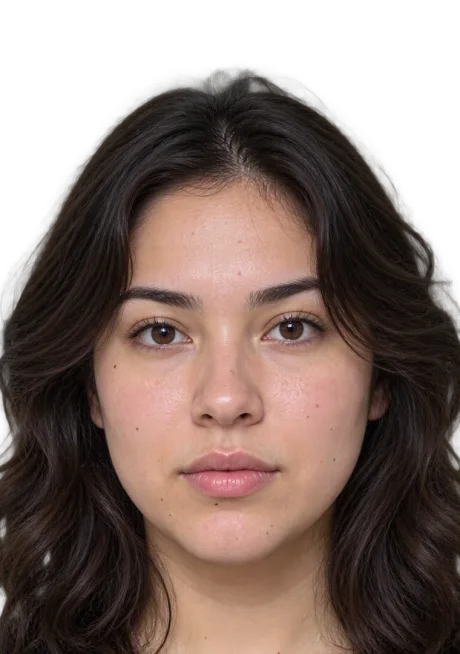
Tap-to-sample color read
Step 1 of 2 · your photo
Add a photo to sample
Daylight, no filter, no makeup gives the truest read. You'll tap a few points on your skin.
How it works
Add your photo
Camera or upload, either works.
Mapped in your browser
478 landmarks, entirely on your device.
Your measured result
Numbers and lines drawn on your photo.
On-device · never uploaded
ITA depth angle
Free · no signup
Tap 2–5 points on your cheek, jawline, or forehead — skip shadows, blemishes, and hair.
Start your glow up
SkinPal on iPhone and Android
Next step · SkinPal app
Finally know what your skin needs.
No more guessing, no more wasted products. Take one selfie. SkinPal shows what's going on with your skin and gives you a simple plan to improve it.
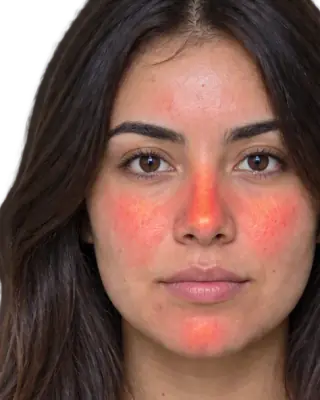
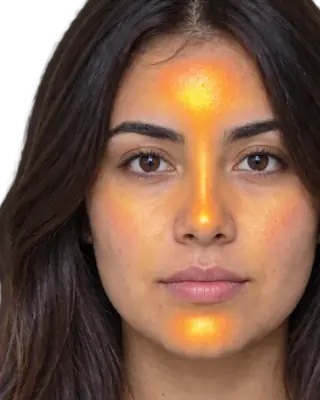
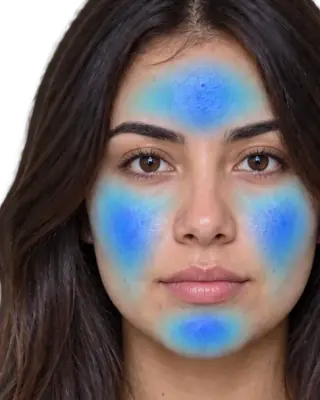
What you unlock in the app
- Full face analysisProportions, symmetry and skin, measured from one selfie
- Full skin report cardSee what's good and what needs work, from acne to skin age
- Heatmaps of your faceSee exactly where redness, oil and breakouts are
- Flare, your AI skin coachAsk anything, get answers based on your own face
- Morning and night routineMade for you, and it changes as you improve
- Ingredient scannerKnow if a product suits you before you buy it
- Progress trackingSee your before and after, week by week
The science
How the skin tone finder works
01
Your photo is analyzed entirely on your device — it is never uploaded, stored, or sent anywhere. You pick a well-lit photo, tap two or three points on your cheek, jawline, or forehead, and the tool averages the sampled pixels to place your skin on a depth scale from very fair to very deep, with an undertone lean.
02
Lighting is the whole game in tone matching. Indirect daylight near a window gives the truest read; indoor bulbs skew warm and flash skews cool and flat. The tool warns you when your samples disagree with each other, which is the usual sign of mixed lighting or shadow.
03
Knowing your tone and depth is the foundation for foundation — literally — plus hair color, lip shades, and color analysis. For undertone specifically (warm, cool, neutral, olive), pair this with the undertone test.
Depth + undertone: using both numbers together
Depth (your ITA band) picks the shade row — fair, light-medium, tan, deep — in any foundation range, concealer line, or tinted SPF. Undertone picks the position within the row: the W/C/N suffix, the golden-vs-rosy nude, the silver-vs-gold jewelry default. Most shade mistakes are undertone mistakes at the right depth — a foundation that "turns orange" was warm at your correct depth. The pairing also feeds the other tools here: hair color and lip color matchers take exactly these two coordinates, and the seasonal color analysis adds contrast on top.
FAQ
Common questions
Is my photo uploaded anywhere?+
No. The analysis runs in your browser using the canvas element on your device. The photo is never transmitted, and closing the page removes it entirely.
What photo should I use?+
A makeup-free photo taken facing a window in daylight, without flash. Avoid golden-hour light (skews warm), overhead bulbs (shadows), and anything edited by a beauty filter — filters change skin pixels.
What is the difference between skin tone and undertone?+
Tone (or depth) is how light or deep your skin is — fair to deep. Undertone is the hue beneath it — warm, cool, neutral, or olive. Two people with the same depth can have opposite undertones, which is why foundation shades have both a number and a letter.
Why does my skin tone look different in every photo?+
White balance — cameras guess the light’s color and correct for it, differently every shot. That is why this tool asks for daylight and why in-store swatching under warm retail lighting misleads: your tone is stable; the measurements of it are not unless the light is.
Does my skin tone change seasonally?+
Depth does — tanning can move you a full ITA band by late summer. Undertone essentially does not. Seasonal foundation users genuinely need two depths of the same undertone, not two different shades.
Keep going
Undertone test →
Warm, cool, neutral, or olive — from a photo, not vein-guessing.
Lip color matcher →
Nudes, reds, and berries that actually suit your undertone.
Ethnicity guesser →
What ethnicity do you look like? Six groups as a % breakdown, measured against 474 faces on your device.
Color analysis quiz →
What season am I? Five questions on your hair, eyes, skin, metals and veins find your season of 12 and your Korean personal color.